Import your number into DeepAgent
Import your number for free and start calling with AI Agents
Written By Product
Last updated 9 months ago
Currently, this feature can only be used for Outbound agents.
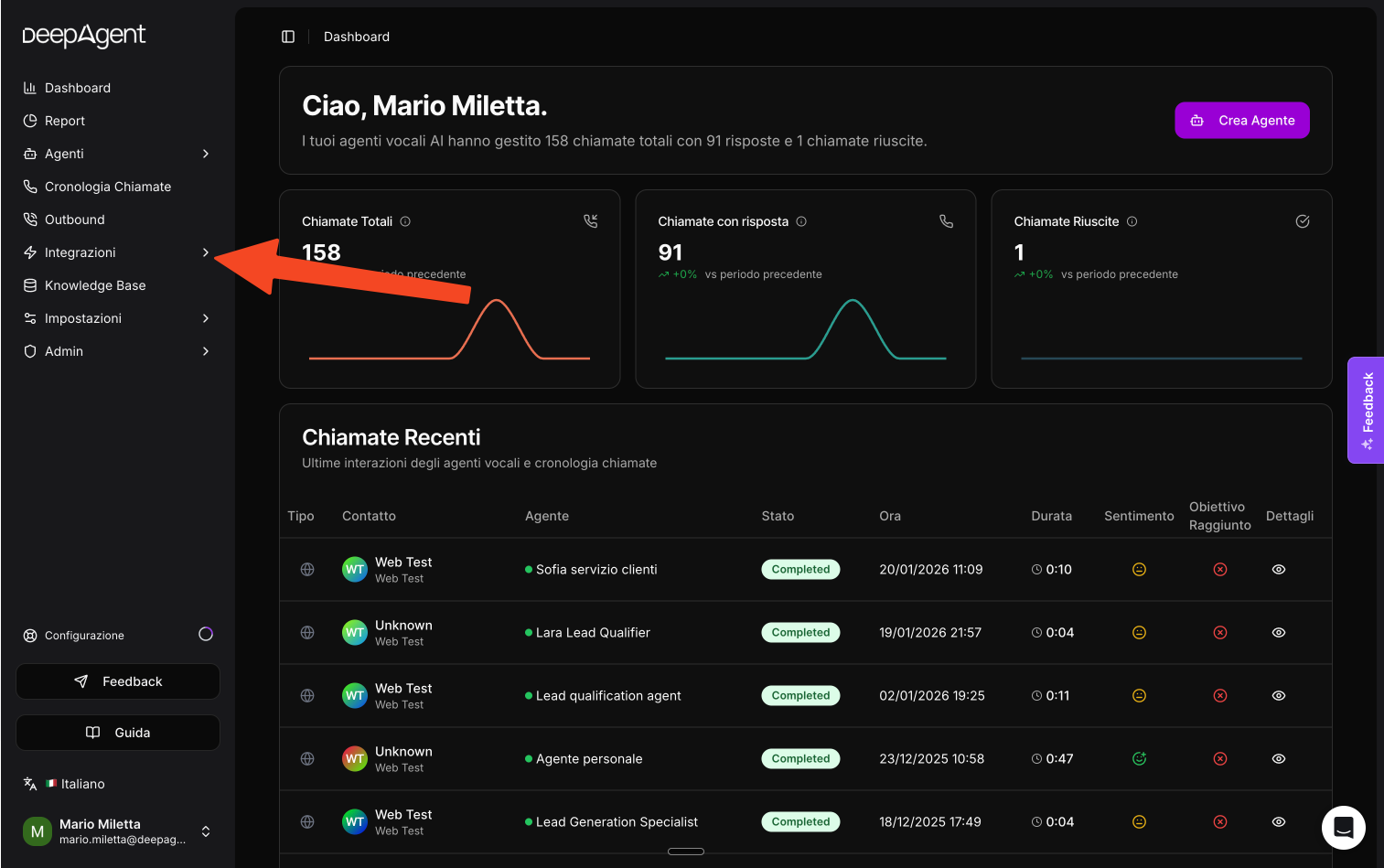
Go to "Integrations."
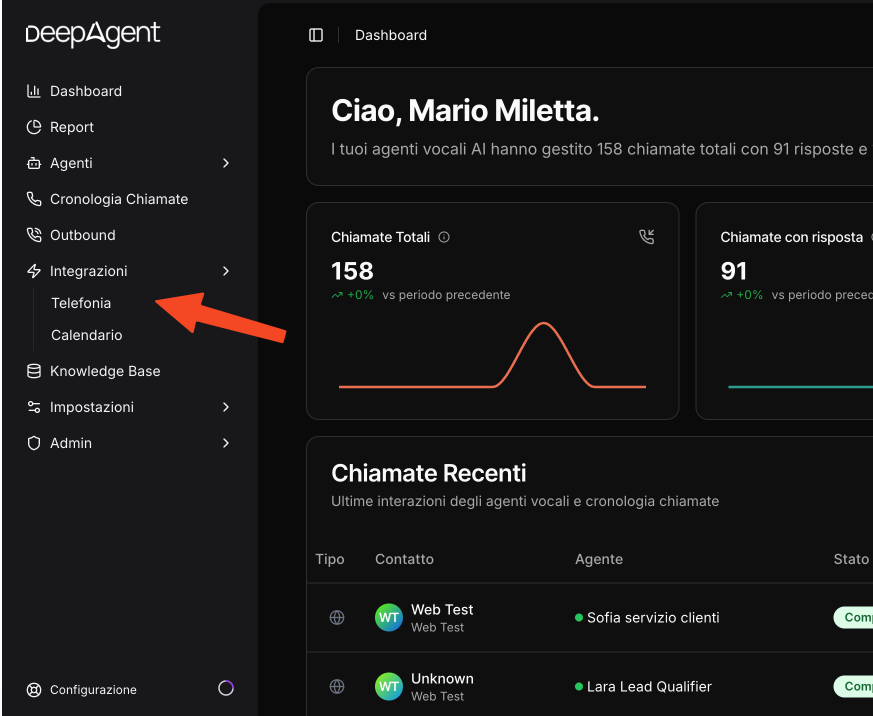
Then click on "Telephony."
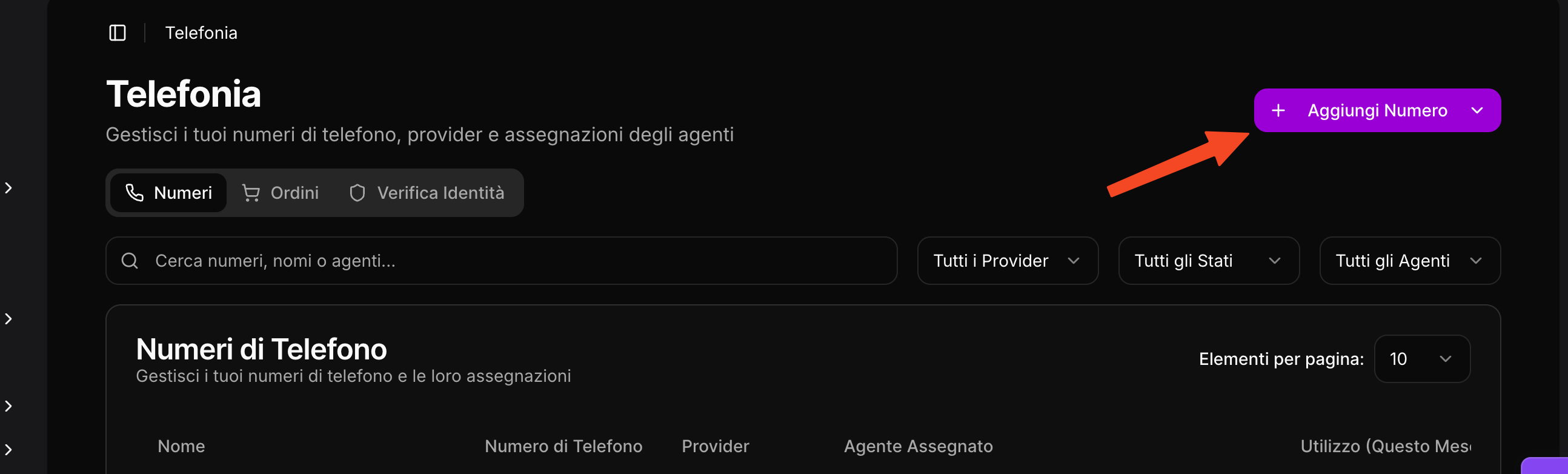
Once in Telephony, click on "Add Number."
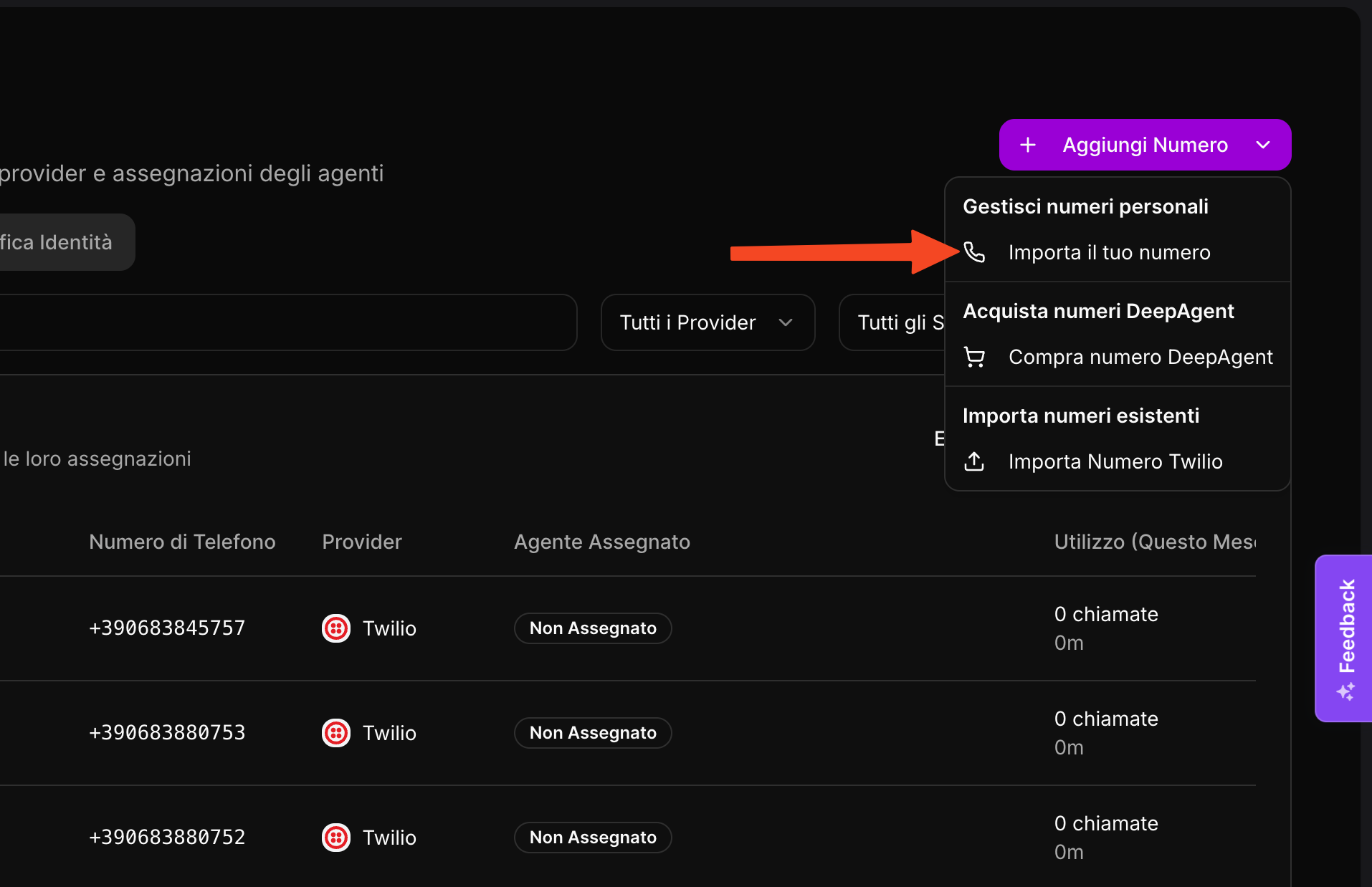
Then click on "Import your number."
This will open a modal window where you can add your number
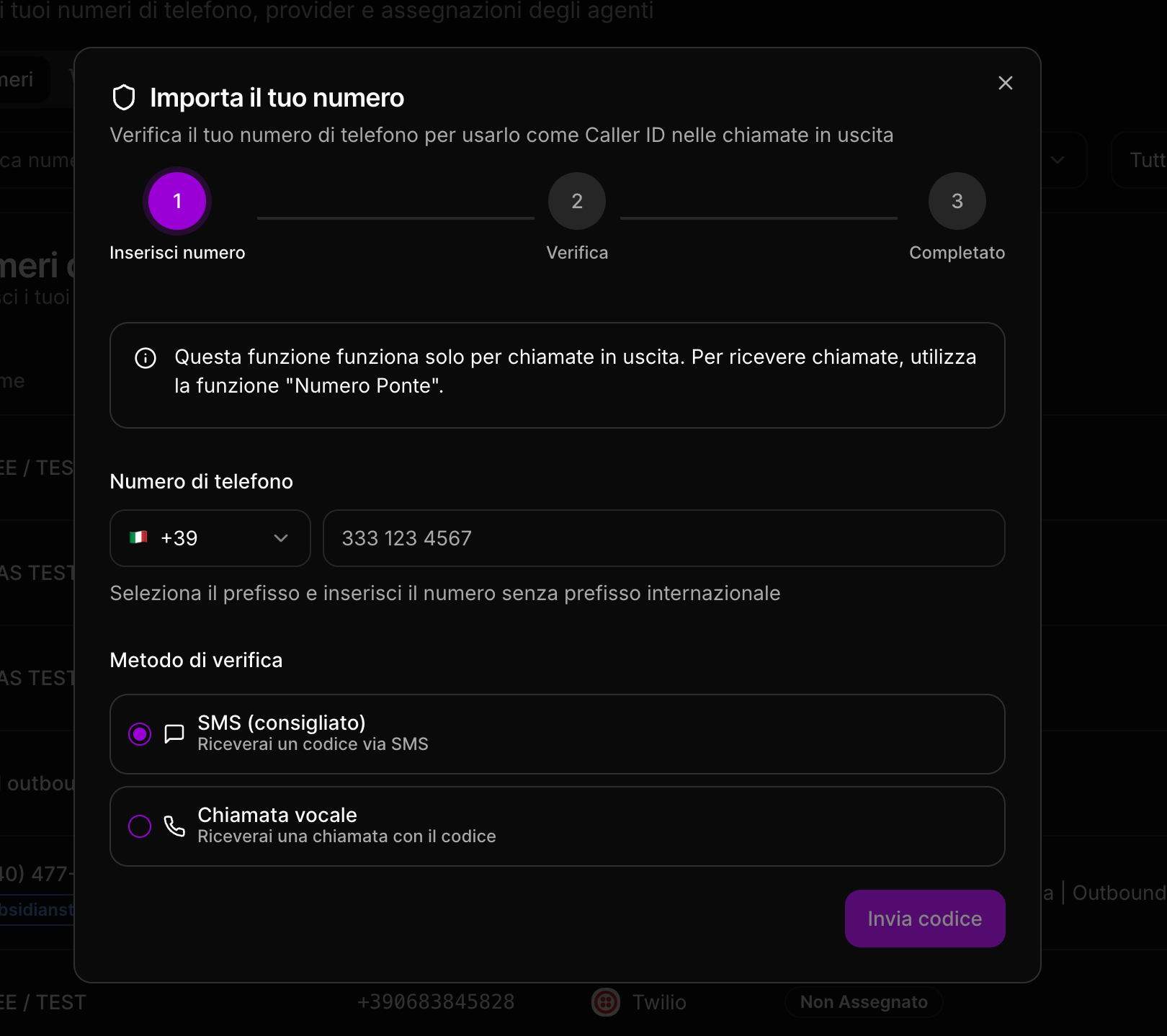
Once you have added your number, you will need to decide how to receive the OTP code to verify the phone number you entered.
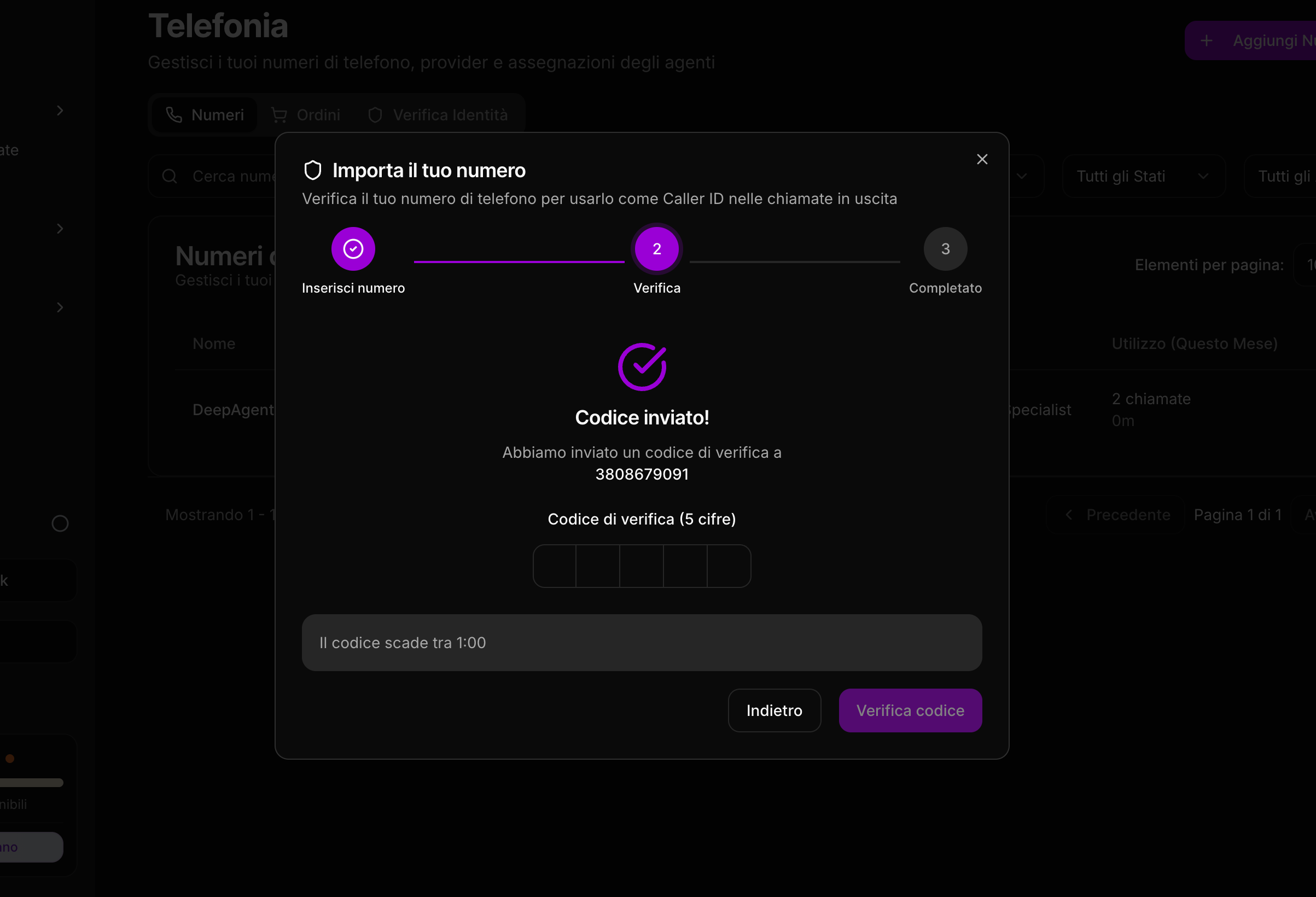
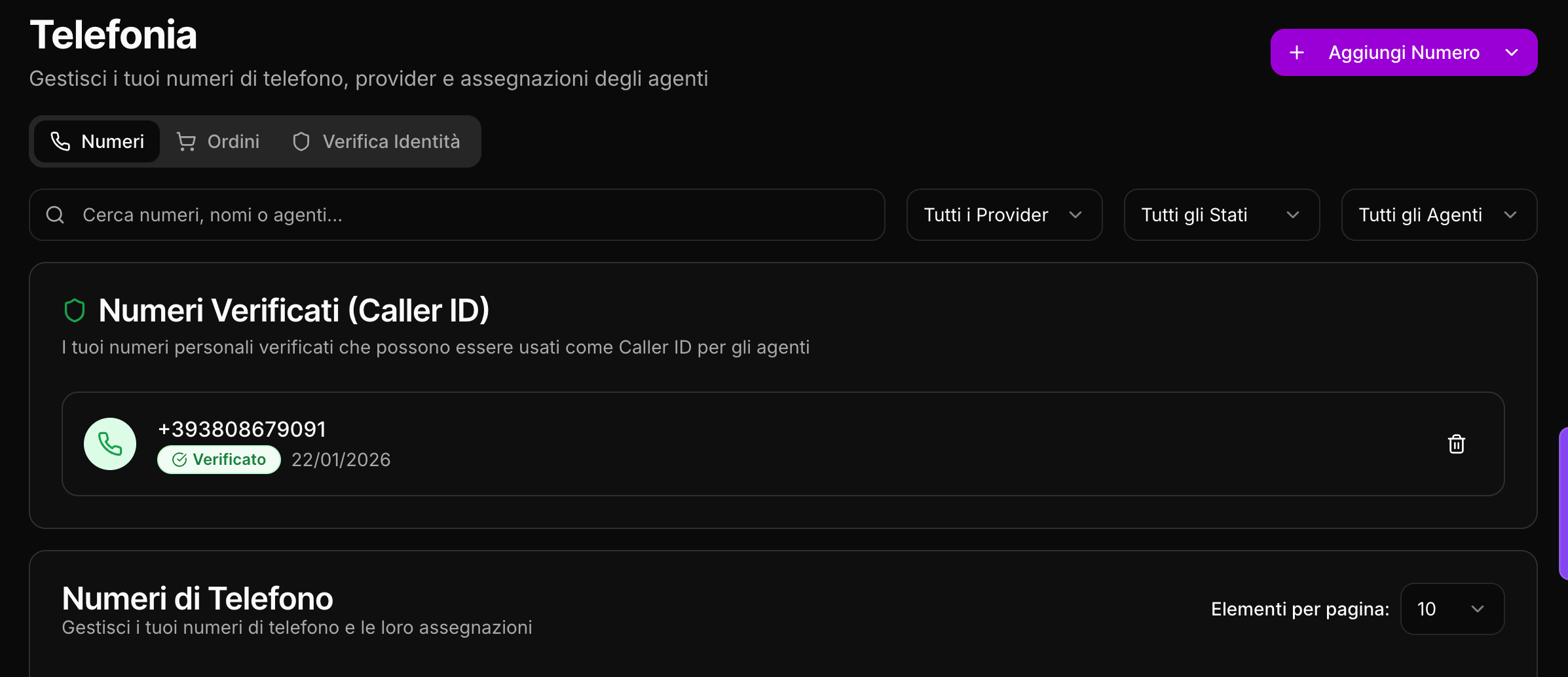
Once the OTP has been added, your number will be added to DeepAgent and can be used for outbound campaigns
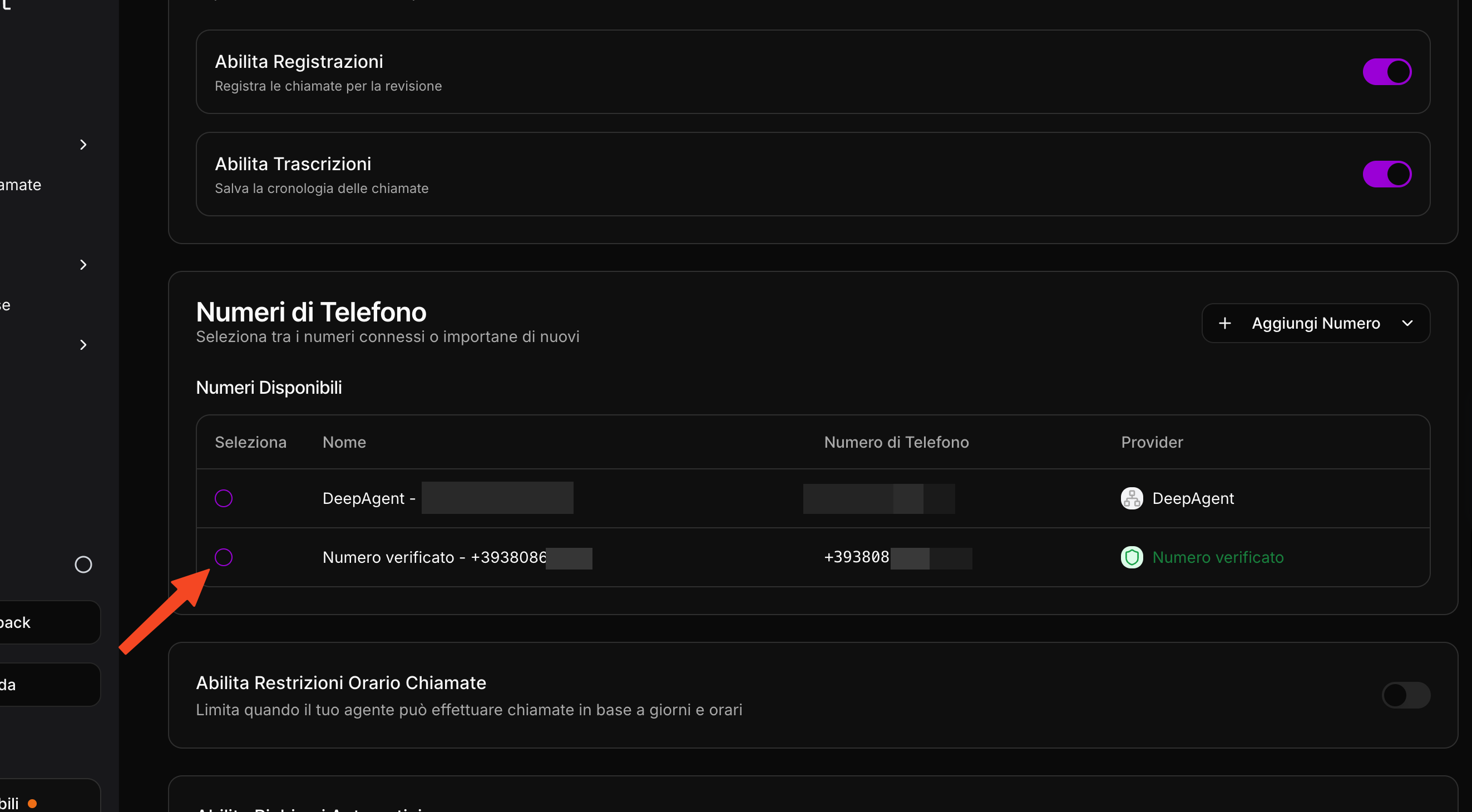
Simply add the number to your agent and start calling! Go to the agent details and select the number you just added!
Was this helpful?
Still need help? Share an idea